Folding Corrugated Carton Box Dieline: A Guide to Custom Box Design
Creating custom packaging solutions has never been easier, especially with the availability of folding corrugated carton box dielines. These templates offer a practical and creative way for individuals and businesses alike to design their own boxes. Whether you're a small business owner looking for branded packaging or a hobbyist crafting unique storage solutions, understanding how to use these templates can open up new possibilities in your projects.
What is a Folding Corrugated Carton Box Dieline?
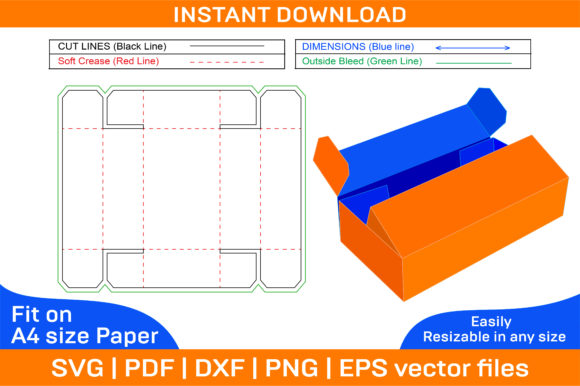
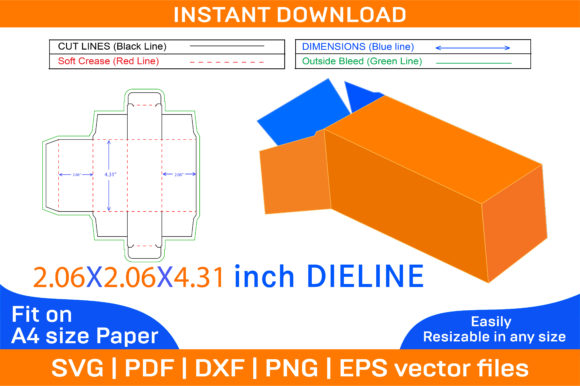
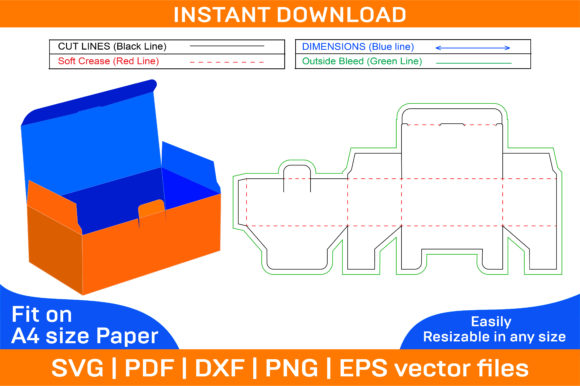
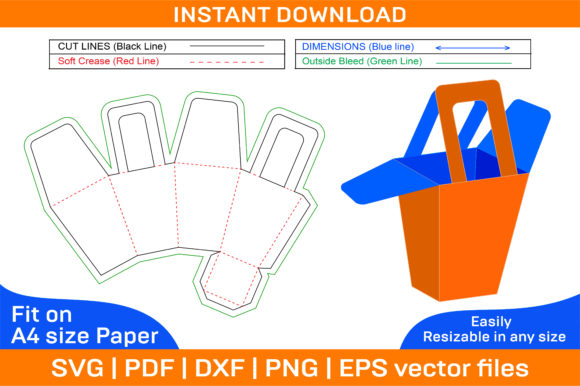
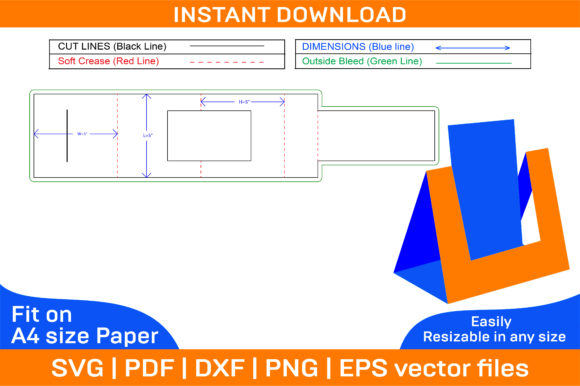
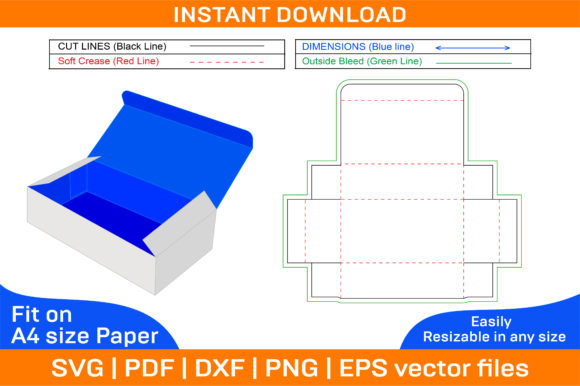
A folding corrugated carton box dieline is essentially a blueprint that outlines the shape and folding structure of a box made from corrugated cardboard. It includes precise measurements and fold lines so that when printed and cut out, the paper folds into a fully functional box. The dieline ensures accuracy in construction and helps maintain structural integrity after assembly.
The term "dieline" refers to the cutting and folding guide used in die-cutting processes. In this case, it's adapted for personal and professional use, allowing anyone to create boxes without specialized equipment.
Key Features of a Folding Corrugated Carton Box Dieline
- Vector-Based Files: The dieline comes in SVG, PDF, EPS, DXF, AI, and PNG formats, all of which are vector-based. This means you can scale the design up or down without losing quality.
- Printable on A4 Paper: Designed for standard A4 printing, but the flexibility of vector graphics allows for adjustments to fit any paper size.
- Dual Template Options: Includes both color and blank templates, giving you the freedom to print on any type of paper—white, colored, textured, or even patterned.
- High-Resolution Quality: All files are created at 300 dpi resolution, ensuring crisp and clean prints every time.
- Compatibility: Works seamlessly with popular software like Photoshop, Illustrator, Silhouette Studio, Cricut Design Space, and AutoCAD, making it accessible to a wide range of users.
Why Use a Folding Corrugated Carton Box Dieline?
There are several reasons why people choose to work with these types of templates:
- Customization: With a dieline template, you have complete control over the look and feel of your box. Add your logo, brand colors, or custom illustrations to make your product stand out.
- Creative Freedom: Perfect for artists, designers, and makers who want to build custom packaging or display boxes tailored to specific needs.
- Cost-Effective: Instead of purchasing pre-made boxes, you can print and assemble your own using just cardstock and a bit of creativity.
- Learning Tool: Ideal for students and educators exploring packaging design, as it provides hands-on experience with real-world applications.
Real-World Applications
Folding corrugated carton box dielines are incredibly versatile. Here are some common uses across different industries:
- Retail Packaging: Small businesses often use these templates to create branded gift boxes or product containers.
- Event Decorations: From DIY centerpieces to custom displays, folding boxes can be transformed into elegant and functional decorations.
- Educational Projects: Teachers incorporate them into art classes or STEM activities to help students understand geometry, design, and sustainability.
- Storage Solutions: Home organizers and crafters use them to build custom-sized boxes for storing items efficiently.
- Prototyping: Product developers and designers rely on these templates to test packaging concepts before mass production.
How to Get Started with a Folding Corrugated Carton Box Dieline
If you're new to using these templates, here’s a simple process to follow:
- Download the ZIP Archive: Once purchased, the files are available for instant download. Make sure to extract the contents to access all file formats.
- Choose Your File Format: Depending on your software or printer capabilities, select the appropriate file (SVG for digital cutting, PDF for printing, etc.).
- Edit the Template: Open the file in your preferred design software. You can customize the layout, add text, logos, or artwork, and adjust dimensions if needed.
- Print and Cut: Print the template on thick paper or cardstock. Carefully cut along the outlined lines and score the fold areas for smooth assembly.
- Assemble the Box: Fold along the marked lines and glue or tape the flaps together. The result is a sturdy, customizable box ready for use.
Designing in 3D with Folding Box Templates
One of the most exciting aspects of working with a folding corrugated carton box dieline is the ability to visualize your creation in 3D. Many design tools allow you to simulate how the flat template will transform into a three-dimensional box before you print. This feature is especially helpful when designing complex shapes or ensuring proper fit for products.
With the right software, such as Adobe Illustrator or Silhouette Studio, you can manipulate the template to see how each flap and panel connects in space. This helps prevent errors during the cutting and folding process and gives you confidence in the final product.
Considerations When Using a Folding Corrugated Carton Box Dieline
While these templates are powerful tools, there are a few things to keep in mind to ensure successful results:
- Paper Thickness: For best results, use high-quality cardstock or corrugated paperboard. Thinner paper may not hold its shape well after folding.
- Printer Settings: Always check your printer settings for accurate scaling and alignment. Misprints can lead to misaligned flaps and difficulty in assembly.
- Glue Application: Apply glue carefully to avoid warping or weakening the structure of the box. Consider using double-sided tape for quick and clean assembly.
- Accuracy in Measurement: Even minor deviations in measurement can affect how well the box folds. Ensure precision when resizing or editing the template.
Strengths and Limitations
These templates offer numerous advantages, but they also come with certain limitations:
Despite these limitations, the benefits of having full creative control and the ability to produce custom designs far outweigh the drawbacks for most users.
Who Can Benefit from a Folding Corrugated Carton Box Dieline?
This tool isn’t limited to one group of users. Its versatility makes it ideal for:
- Business Owners: Create branded packaging for gifts, retail items, or promotional materials.
- Artists and Crafters: Build custom boxes for jewelry, cards, or art supplies with personalized designs.
- Teachers and Students: Incorporate into classroom activities for learning about geometry, engineering, and sustainability.
- DIY Enthusiasts: Anyone interested in upcycling, home decor, or creative hobbies can find value in these templates.
- Graphic Designers: Use them to experiment with layout and branding ideas in a tangible format.
Practical Expectations and Tips
Before diving into your project, consider what you hope to achieve. If you're planning to produce multiple boxes, investing in a good cutting machine like a Silhouette or Cricut can save time and effort. However, if you're just experimenting or creating one-offs, scissors and a ruler may suffice.
Here are a few tips to maximize your success:
- Use a bone folder or similar tool to crease the folded edges cleanly.
- Test your first box with scrap material before committing to a final design.
- Ensure your design accounts for the thickness of the paper to avoid gaps in the seams.
- Print a test page to confirm scaling matches the intended size.
Exploring the Value of Blank Templates
The inclusion of a blank folding corrugated carton box dieline adds another layer of flexibility. By starting with an empty template, you’re not limited by pre-designed elements. This approach is particularly useful when you want to:
- Create a themed box for a party or event
- Design a box with intricate patterns or textures
- Match your company’s branding exactly
- Experiment with different layouts and structures
Blank templates also encourage innovation. You can integrate other materials like fabric, washi tape, or metallic foil to enhance the visual appeal of your box while maintaining functionality.
Choosing the Right Software
Depending on your workflow, selecting the correct software is essential. Here are some recommendations based on file types:
- AI/EPS: Best for detailed editing in Adobe Illustrator or similar vector graphic programs.
- SVG: Ideal for use with cutting machines like Silhouette Studio or Cricut Design Space.
- PDF: Great for direct printing or sharing with others who may not have design software.
- DXF: Suitable for CAD software like AutoCAD, perfect for architectural or mechanical designs.
Most modern design platforms support these formats, so it’s worth checking compatibility with your current tools before downloading the files.
Final Thoughts on Folding Corrugated Carton Box Die Line Templates
A folding corrugated carton box die line template is more than just a downloadable file—it's a gateway to creativity, cost savings, and practicality. Whether you're designing for commercial purposes or simply enjoying a weekend crafting project, the right template can make all the difference.
Remember, the key to success lies in careful planning and attention to detail. Take the time to understand the structure of your chosen template, and don’t hesitate to reach out for assistance if you run into issues. Most creators are happy to help and ensure you get the most out of their product.
By leveraging the power of vector graphics and high-resolution printing, you can bring your ideas to life in ways that are both efficient and expressive. So go ahead—explore the world of printable box templates and discover how easy it is to turn a flat design into a real-world object.