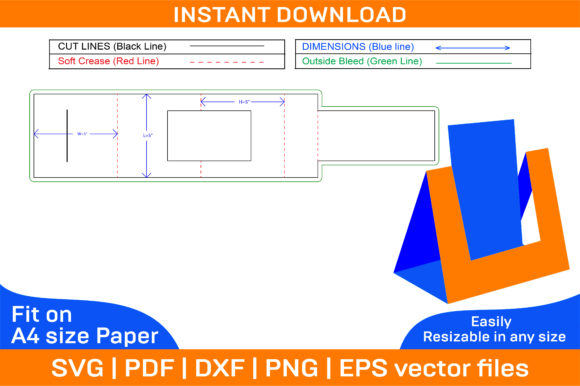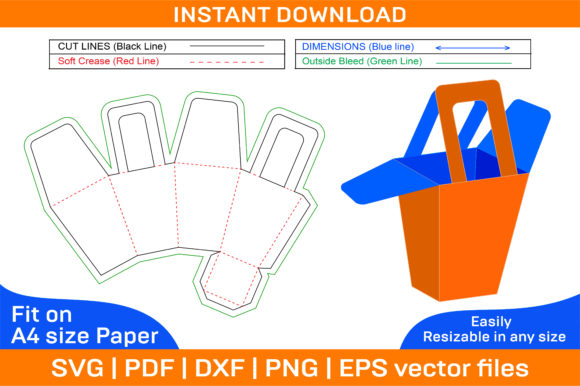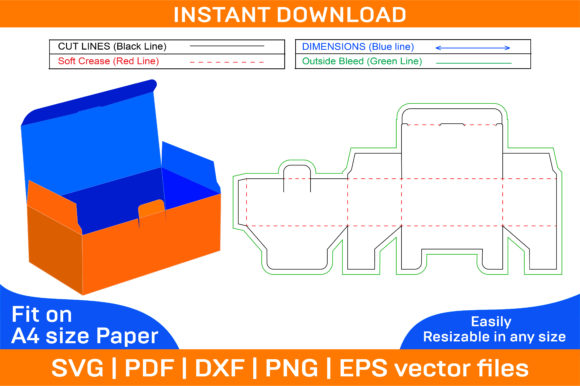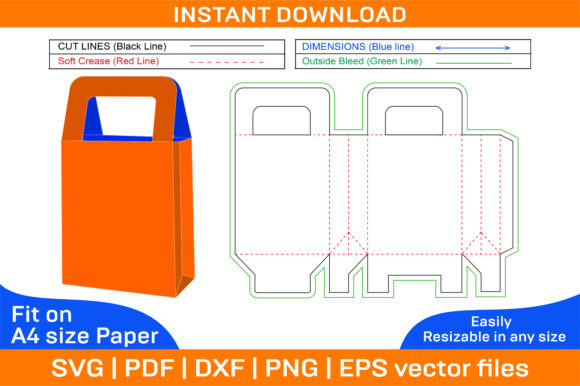
Bus Packaging Box Dieline Template: Create Custom Boxes with Ease
Whether you're an entrepreneur launching a new product, a creative designer working on a unique packaging project, or a hobbyist looking to bring your ideas to life, the Bus Packaging Box Dieline Template is a valuable tool in your arsenal. This template simplifies the process of designing and printing custom boxes, allowing you to focus on what really matters—your vision.
What Is a Bus Packaging Box Dieline Template?
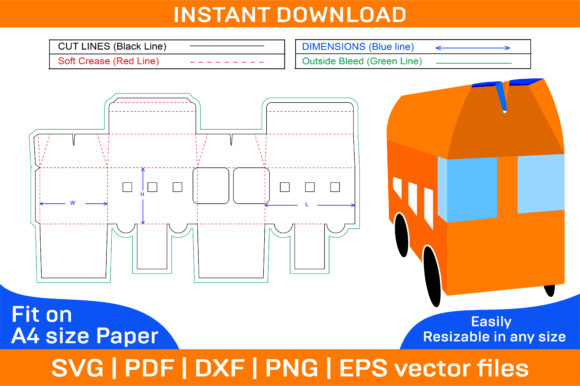
A dieline template is essentially a blueprint for a box's shape and structure. It outlines the exact cut lines, fold lines, and glue flaps needed to transform flat paper into a three-dimensional container. The Bus Packaging Box Dieline Template is specifically designed for bus-themed packaging, making it ideal for event giveaways, promotional items, branded merchandise, and more.
With this template, you don't need advanced design skills to create professional-looking boxes. All the technical aspects are pre-determined, so you can simply add your artwork, logo, or text and print it out ready for assembly.
Key Features and Benefits
The Bus Packaging Box Dieline Template comes with several features that make it a go-to solution for many users:
- Multiple File Formats: The ZIP archive includes SVG, PDF, EPS, DXF, AI, and PNG files, ensuring compatibility with a wide range of design software and cutting machines.
- Vector-Based Design: Files are created using vector graphics, which means they maintain high quality at any size. You can scale them up or down without worrying about pixelation or loss of detail.
- High-Resolution Output: With 300 dpi resolution, the final printed results look crisp and clean, suitable for both digital displays and physical production.
- Instant Download: Once purchased, you can download the template immediately, saving time and allowing for quick implementation.
- Flexibility in Printing: Designed for A4 paper but adaptable to other sizes, this template gives you freedom to choose materials and dimensions based on your needs.
- Color and Blank Options: Both color and blank templates are included, letting you either print directly from the color version or customize the blank one with your preferred theme or branding.
Practical Uses Across Industries
From small businesses to large corporations, the Bus Packaging Box Dieline Template has found its place in various fields due to its adaptability and ease of use. Here are some real-world applications:
Marketing and Branding
Branded packaging is a powerful way to enhance customer experience and reinforce brand identity. By customizing the Bus Packaging Box with your company’s colors, logos, and messaging, you turn every delivery into a marketing opportunity. These boxes are often used as eco-friendly packaging for products or as part of limited-time promotions such as “bus tour kits” or travel-related giveaways.
Event Promotion and Merchandise
If you're organizing a bus tour, transportation event, or city-wide festival, these boxes can serve as eye-catching takeaways. They can be filled with brochures, souvenirs, or even mini-bus models, creating a memorable experience for attendees. Educators and community organizers also use them to distribute educational materials or event memorabilia in a stylish and functional way.
Creative Projects and DIY Enthusiasts
For crafters and hobbyists, the Bus Packaging Box offers endless possibilities. You can paint it, decorate it with stickers, or use it as a gift box for special occasions like birthdays or holidays. The ability to modify the design makes it perfect for personalized projects, whether you're creating custom packaging for handmade soap, jewelry, or artisanal goods.
Commercial Applications
Business owners who sell products online or through pop-up shops benefit from using these templates to streamline their packaging process. Since the template is printable and foldable, you can produce multiple units quickly without needing expensive manufacturing tools. This is especially useful for seasonal campaigns or when launching new product lines related to public transport or urban themes.
How to Use the Bus Packaging Box Dieline Template
Using the template is straightforward, but there are a few best practices to keep in mind for optimal results:
- Select Your Software: Choose the design platform that works best for you. Adobe Illustrator and Photoshop are excellent for detailed artwork, while Silhouette Studio or Cricut Design Space are great for direct cutting.
- Edit the Design: Open the template file and replace placeholder elements with your own images, text, or branding. Ensure all important details (like company name or QR codes) are placed correctly according to the fold lines.
- Print Carefully: Print the template on sturdy cardstock or thick paper for durability. If using a color template, double-check the printer settings to avoid color shifts. For the blank version, use high-quality inkjet or laser printers to ensure vibrant prints.
- Assemble the Box: Cut along the outlined lines and fold along the indicated creases. Apply glue where specified and let it dry completely before using the box for its intended purpose.
One thing to note is that if you're planning mass production, consider testing the template with different paper weights and types to find the best balance between cost and strength.
Design Considerations for Optimal Results
To get the most out of your Bus Packaging Box Dieline Template, here are some design tips:
- Use high-resolution images to ensure clarity when printed.
- Leave enough white space around fold lines to prevent bleed-through during printing.
- Make sure text is not too close to the edges—always allow a margin of at least 3–5 mm.
- Consider adding interactive elements like windows or die-cut shapes to increase engagement.
- For commercial use, include clear instructions for customers on how to assemble the box.
By following these guidelines, you’ll ensure that your final product looks polished and functions well, whether it’s a single-use gift box or part of a larger packaging strategy.
Why Choose Vector-Based Templates?
Vector-based templates like the Bus Packaging Box Dieline offer significant advantages over raster formats. Because vectors are made up of mathematical points rather than pixels, they remain sharp and scalable no matter how large or small you resize them. This is particularly important when printing on different paper sizes or when preparing designs for laser cutting or embossing.
Additionally, vector files support layers and editable text, which means you can tweak the layout easily without having to start from scratch. Whether you're aligning a logo, adjusting fonts, or changing background colors, the flexibility is there to help you achieve exactly what you want.
Real-World Examples and Ideas
Here are a few ways professionals and creatives have successfully used the Bus Packaging Box Dieline Template:
- Travel Agencies: Created mini-gift boxes shaped like buses to hand out during travel expos, complete with destination maps and discount vouchers.
- Educational Institutions: Used the boxes to package school supplies for students participating in field trips, turning standard pencil cases into fun, themed containers.
- Artisans and Makers: Packaged handmade candles or soap bars inside custom-designed folding boxes that reflected their brand aesthetic and storytelling.
- Entrepreneurs: Included the Bus Packaging Box in their product unboxing experience to surprise and delight customers with a cohesive theme.
These examples highlight how versatile the template is. It's not just about holding items—it's about creating an experience.
Common Questions and Troubleshooting Tips
While the Bus Packaging Box Dieline Template is user-friendly, you might encounter a few questions or issues. Here’s how to handle them:
- “Can I use this template for commercial purposes?” Yes! The template is suitable for both personal and commercial use. Just make sure you comply with the licensing terms provided by the seller.
- “How do I know if my printer supports A4 paper?” Most home and office printers do. Check your printer’s manual or settings for supported paper sizes and types.
- “The box doesn’t fold properly.” Ensure you’re using the correct file format and that the fold lines are clearly visible and followed precisely during printing and cutting.
- “I want to change the size of the box.” Since the template is vector-based, you can scale it to fit your desired dimensions. Test it with sample cuts first to verify accuracy.
If you run into any difficulties, reach out to the template provider for assistance. Many sellers offer support to help users get the best out of their purchase.
Final Thoughts on Customization and Creativity
The beauty of the Bus Packaging Box Dieline Template lies in its simplicity and adaptability. It empowers users to express their creativity without requiring complex machinery or technical expertise. Whether you're a seasoned graphic designer or someone trying out packaging for the first time, this template opens the door to professional-grade results.
Customization is key. By choosing the right colors, textures, and imagery, you can align the box with your brand’s personality and message. This not only improves the visual appeal but also enhances the overall user experience—especially important in today’s competitive market where first impressions count.
So, next time you need a unique packaging solution, consider the Bus Packaging Box Dieline Template. It’s a smart investment for anyone who wants to stand out, save time, and deliver something truly memorable to their audience.